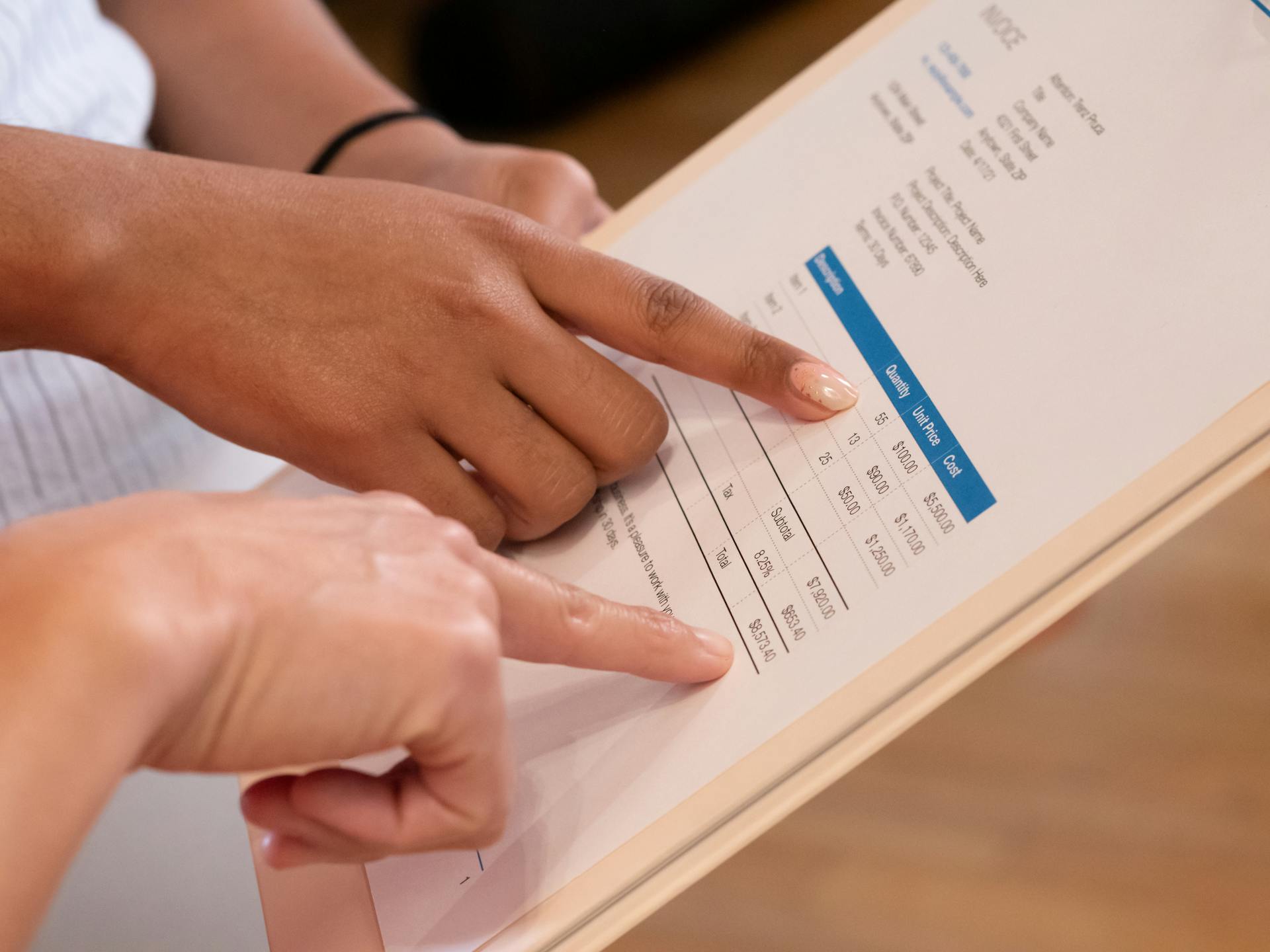
Invoice processing can be a tedious and time-consuming task, but it doesn't have to be. With the right tools and strategies, you can make it faster, more efficient, and even enjoyable.
Automation is key to making invoice processing easier. By automating tasks such as data entry and document management, you can free up more time for high-level tasks and reduce errors.
Manual processing can lead to delays and inaccuracies, but automation can help you process invoices in a fraction of the time. This can result in faster payment cycles and improved cash flow.
In fact, studies have shown that automated invoice processing can reduce processing time by up to 90%. This can be a game-changer for businesses of all sizes.
What Is
Invoice processing is the accounts payable workflow for receiving vendor invoices, verifying details, routing them for approval, paying on time, and recording the transaction in the general ledger.
A typical manual invoice process can involve up to 15 steps before the final posting is done, which can be time-consuming and prone to errors.
The process usually begins when a supplier's invoice is received, and it can be sent via email, postal mail, fax, or EDI.
To ensure that the invoice is indeed an invoice, the accounts payable clerk must classify and sort it into various categories, which are usually unique to a specific organization.
The invoice is then forwarded to the AP processor who is responsible for the particular invoice, which is normally the person who placed the order.
If there was a purchase order created during procurement, the invoice must be matched against the purchase order to confirm that the amount being paid is correctly stated on the invoice.
A comprehensive invoice process management involves additional checkpoints, such as verifying that the person who ordered the item was eligible to place the order and that the purchase order was approved by a responsible person.
Here are some key checkpoints to ensure comprehensive invoice management:
- Was the person who ordered item eligible to place the order?
- Was the PO approved by a responsible person?
- Can the PO or invoice be linked to an existing supplier contract?
Invoice processing can be performed with software, and it's commonly referred to as automated invoice processing or invoice automation for short.
Invoice processing is often performed by the accounts payable department, which consists of a series of steps for managing vendor or supplier invoices from receipt to payment, and recorded in the general ledger.
Benefits of Invoice Processing
Automating invoice processing can save businesses a significant amount of time and money. According to a 2024 Ardent Partners survey, companies using automation technology pay just $2.78 per invoice with 3-day processing times, compared to $12.88 per-invoice costs and 17-day processing cycles with traditional methods.
Automated invoice processing systems can eliminate manual data entry mistakes and catch duplicate invoices, incorrect amounts, and missing approvals before payment. This prevents overpayments and strengthens financial controls across your organization.
Faster processing cycles and real-time visibility give finance teams the power to accurately forecast payment obligations and take advantage of early payment discounts. Late fees become rare occurrences rather than regular expenses.
Consistent on-time payments build stronger vendor relationships over time. Suppliers appreciate predictable payment schedules and clear communication about invoice status. This reliability often leads to better terms and priority treatment during supply shortages.
Here are some potential benefits of accounts payable automation:
- Time saving – Reducing manual input required from the accounts payable team to process incoming invoices, freeing up time for other activities.
- Cost saving – Streamlining the process and reducing manual requirements can reduce costs, generating savings in the AP department.
- Reduced errors – Automating invoice processing can minimize the chance of errors, including overpayments and duplicate payments.
- Fraud protection – Automated invoice processing removes the danger of payments fraud, and access controls can limit certain abilities to just the right people.
- Easier auditing – Automating the invoice processing cycle creates a secure, backed-up trail of all AP activities for future audits and process reviews.
Automating invoice processing can also produce tremendous labor savings, to the extent that many companies consider it an essential piece of their technology, like word processing software.
Steps
Invoice processing involves a series of steps to get an invoice from receipt to payment and into the books.
The process typically begins when a supplier's invoice is received, and it can be sent via email, postal mail, fax, or EDI.
Once an invoice arrives, the accounts payable clerk must ensure that the document is indeed an invoice.
The invoice is then classified and sorted into various categories, such as by vendor, by transaction type, or by department.
The responsible person, usually the one who placed the order, must then approve the invoice by signing off on it.
If the amount invoiced exceeds a certain amount limited by the organization, the superior of that person may have to approve the invoice as well.
The invoice is then posted into the accounting system, and a voucher can be created and the payment can be issued.
Here are the steps for invoice processing in more detail:
- Capture, general ledger (GL) code, and match supporting documents such as a purchase order and/or delivery receipt
- Send invoices to authorized approvers to approve or reject invoices
- Authorize and submit invoices for payment in a financial system
- Process invoices for payment via common payment methods such as check, ACH, or wire transfer
- Archive invoices and payment information in the GL and for audit purposes
Automating Invoice Processing
Automating invoice processing can save time and money by reducing manual entry, errors, and late payment fees. According to a 2024 Ardent Partners survey, businesses using automation technology pay just $2.78 per invoice with 3-day processing times, compared to $12.88 per-invoice costs and 17-day processing cycles for traditional methods.
Automated systems can eliminate manual data entry mistakes and catch duplicate invoices, incorrect amounts, and missing approvals before payment, preventing overpayments and strengthening financial controls. Faster processing cycles and real-time visibility give finance teams the power to accurately forecast payment obligations and take advantage of early payment discounts.
Automating invoice processing involves several steps, including data capture, validation, approval routing, and payment processing. Advanced OCR technology scans incoming invoices and extracts information such as vendor names, amounts, dates, and purchase order numbers with remarkable accuracy. Digital approval workflows replace paper-based routing systems and send notifications directly to managers' smartphones.
Here are some potential benefits of automating invoice processing:
- Up to an 80 percent reduction in a company's procure to pay cycle
- A reduction in duplicate invoice payments and invoice entry errors
- The ability to assign GL codes to invoices without direct access to a company's accounting platform
What Agencies and Vendors Can Do in IPP
In IPP, agencies can make purchase orders available to vendors from their system, giving vendors access to the purchase order for easy reference. This helps streamline the invoice processing workflow.
Agencies can also manage invoice approval processes electronically, which can help them pay on time and avoid Prompt Payment penalties. This is a huge advantage for agencies that want to improve their financial management.
Vendors, on the other hand, can submit invoices to enrolled agencies in several ways. This flexibility makes it easier for vendors to do business with agencies.
Vendors can also check the status of an invoice or payment, which helps them track the progress of their invoices. This transparency is a big plus for vendors who want to know where their invoices are in the system.
Here are some specific ways vendors can interact with IPP:
- Submit invoices to enrolled agencies in several ways
- Check the status of an invoice or payment
- Receive payment details including Treasury offset information
Automation
Automation is the key to streamlining your invoice processing system. With automation, you can reduce the time and cost associated with manual processing, which can be as high as $12.88 per invoice.
Automated invoice processing software can extract data from invoices using Optical Character Recognition (OCR) technology, which is also known as Intelligent Data Capture (IDC). This technology can learn to extract data from invoices without requiring extensive coding or template design.
Automated systems can also reduce the risk of human error, which can lead to costly mistakes. According to a 2024 Ardent Partners survey, businesses using automation technology pay just $2.78 per invoice with 3-day processing times.
Automated systems can also reduce the risk of duplicate invoices, incorrect amounts, and missing approvals before payment. This prevents overpayments and strengthens financial controls across your organization.
Automated systems can also provide real-time visibility into the invoice processing cycle, giving finance teams the power to accurately forecast payment obligations and take advantage of early payment discounts.
Some popular automation software platforms include AI-based solutions like InvoiceAction, which help streamline invoice capture, validation, and ERP integration for accountants and controllers.
Here are some benefits of automation:
- Up to an 80 percent reduction in a company's procure to pay cycle
- A reduction in duplicate invoice payments and invoice entry errors
- The ability to assign GL codes to invoices without direct access to a company's accounting platform
To choose an automation solution, look for platforms with strong OCR capabilities, flexible approval workflows, and comprehensive reporting tools. The platform should handle multiple file formats and integrate easily with your existing financial systems. Mobile accessibility also helps busy managers and executives who travel frequently.
Calculating the ROI of automation is also crucial. Consider reduced labor costs, eliminated late fees, captured early payment discounts, and improved audit compliance. Most businesses see positive returns within 6-12 months of implementation.
Paperless Invoice Processing
Paperless invoice processing is a game-changer for businesses, replacing manual processes with automated workflows.
This process begins with converting paper invoices to digital formats and encouraging vendors to send digital invoices via email or a vendor portal.
By automating the invoice processing, businesses can more accurately and timely record their AP expenses, and the approval process has saved them a lot of time.
One customer even mentions that coding invoices is so easy now compared to their old process of manually coding and hand-keying in their invoices.
Invoices are getting out to additional users faster and approvals are getting done more quickly.
This is because paperless invoice processing turns invoices into actionable data that AP teams can use to process invoices faster and more accurately.
AP platforms like Stampli are easy to navigate and make it simple for AP teams to find the resources they need.
In fact, one Stampli customer compares Stampli's ease of use to SAP and Ariba, saying that Stampli is solving the simplicity of what other SAP systems have yet to figure out.
The interface is extremely easy to use, making it straightforward for anyone to pick up and use.
Intriguing read: Invoice Discounting for Small Businesses
Centralized Data and Processes
Manual invoice processing can be a nightmare, with invoices often buried in spreadsheets or accounting systems, making it difficult for finance teams to access and analyze the data. This can lead to a lot of wasted time and effort.
The beauty of paperless invoice processing is that it turns invoices into actionable data that AP teams can use to process invoices faster and more accurately. This is especially true for AP platforms like Stampli, which are easy to navigate and make it simple for AP teams to find the resources they need.
One Stampli customer compared its ease of use to SAP and Ariba, saying that Stampli's interface is "extremely easy to use" and that it's "straightforward and it would be easy for anyone to pick up." This is a far cry from the complicated navigation and complex organizational structures found in many ERPs.
The manual invoice process can be a long and arduous one, often involving 15 or more steps before the final posting is done.
Improving AP Efficiency
Manual invoice processing can be a major time-suck for financial departments, with AP teams often spending hours chasing down missing information and manually entering data. AP automation is a great way to save time and money, but for AP teams, efficiency means cutting down on the backlog of invoices for real-time visibility into cash flow.
AP teams struggle with traditional processes, which often involve lengthy email chains and manual data entry slowing down ERP updates. Automated recurring bill management and batch payment processing can help remove these hurdles.
In addition to streamlining invoice capture and coding, financial leaders consider functionality such as smart approval routing with context to maintain their current processes even if their workforce is distributed. AP automation is the key to streamlining your invoice workflows while increasing the accuracy of your work.
Here are some key performance indicators (KPIs) to track for AP efficiency:
Regular measurement and analysis of AP metrics help identify improvement opportunities and track progress toward processing goals. By tracking metrics like cost per invoice, processing time, and exception rate, AP teams can spot areas for improvement and make data-driven decisions.
Challenges and Best Practices
Manual data entry errors can be a major headache for finance teams, causing payment discrepancies and vendor disputes. Digital invoice capture and automated data extraction can reduce human error and speed up processing.
Manual invoice processing can be a lengthy and tedious process, often involving 15 steps or more before the final posting is done. In contrast, automated invoice processing can streamline workflows and reduce the risk of errors.
Chasing down missing invoice information is a common obstacle for accounts payable teams, while approvals held up in lengthy email chains can also cause delays. Manual data entry can slow down ERP updates, adding to the frustration.
To avoid these challenges, it's essential to implement best practices in invoice processing. This includes thoughtful planning, clear procedures, proper tools, and ongoing refinement of your approach.
Here are some common invoice processing challenges and how to solve them:
- Manual data entry errors: Digital invoice capture and automated data extraction
- Lost or duplicate invoices: Centralized digital repositories with unique invoice IDs
- Slow approval cycles: Automated routing, mobile approvals, and backup approvers
- Lack of visibility: Real-time dashboards and status notifications
- Compliance and audit trails: Digital systems automatically log actions and changes
- Scaling challenges: Automated solutions can handle higher volumes without proportional headcount or cycle-time increases
Implementation and Roadmap
A phased rollout is the way to go when implementing a new invoice processing system, starting with your highest-volume vendors or simplest invoice types.
Most businesses need 3-6 months for full implementation, depending on their size and complexity. This timeframe allows for training sessions, data migration, and system testing before the go-live date.
Performing these tasks well before the go-live date is crucial to avoid disruption to your business. It's like preparing for a big move - you want to get everything set up and ready to go before you start using the new system.
Ramp Bill Pay is a great example of an accounts payable and invoice management solution that can help streamline your AP process. It's designed to address common bottlenecks in AP workflows and can be implemented in a phased rollout.
Traditional vs Modern Solution
Traditional invoice processing is a manual and time-consuming task that relies on email, PDFs, and hand-keyed data. This method is prone to errors, especially when approvers are busy or details don't match.
Companies receive invoices in various formats, including paper and static PDFs, which require manual entry. Manual entry is not only slow but also increases the risk of errors.
In contrast, modern invoice automation technology uses OCR/AI to capture data, applies rules to validate and match, and routes approvals based on policy. This streamlined process reduces touch time while preserving internal controls.
Invoice automation technology handles the tedious work of processing vendor bills, freeing your team to focus on more strategic financial activities.
Business Size and Solution
As your business grows, it's essential to have a scalable invoice processing system in place. You can start with simple accounting tools, such as cloud-based software, to streamline your process.
For small businesses, using user-friendly accounting and invoice processing software that requires minimal setup and training is a great place to begin. This can help you scale payment volume quickly and reliably.
Standardizing your process is also crucial for small businesses. Create clear guidelines for recording invoice data, approvals, and GL coding to avoid rework or human error. Establish vendor guidelines to give them clear instructions on where and how to send invoices, and what format or data requirements are needed.
Expand your knowledge: Invoice Billing Software
Large enterprises, on the other hand, can benefit from investing in advanced AP automation solutions that use machine learning features and custom workflows. This can help streamline invoice processing at scale.
Vendor management is also key for large enterprises. Set up vendor portals where they can submit invoices directly, track payment status, and quickly resolve disputes.
To choose the right approach for your business, consider the following:
By choosing the right approach for your current size, but building processes that can grow with your business, you can create a solid foundation for your company's future growth.
Frequently Asked Questions
What is the 3 way invoice process?
A three-way match verifies that a purchase order, invoice, and goods receipt note contain the same information, ensuring accurate and compliant payment processing. This process helps prevent payment errors and ensures suppliers are paid correctly.
How do you explain invoice processing in an interview?
Invoice processing is the end-to-end process of handling supplier invoices, involving validation, approval, and payment scheduling. It ensures accurate and timely financial transactions, streamlining business operations and reducing errors.
Featured Images: pexels.com