Fidelity Investments is a well-established financial services company, but scammers often use their name to trick people into revealing sensitive information.
Be cautious of emails that ask you to click on links or provide login credentials. These are common tactics used by scammers to gain access to your account.
Fidelity Investments will never ask you to verify your account information via email. If you receive an email that asks you to do so, it's likely a phishing scam.
What is a Phishing Scam?
Phishing scams are a real threat to your personal and financial information. Scammers often impersonate well-known companies like Fidelity Investments to trick you into giving them your sensitive data.
Fidelity Investments itself has been impersonated in phishing scams, where scammers send fake emails claiming there's a new security upgrade and you need to re-validate your account information. This is complete nonsense.
Scammers want you to click on the "Validate Your Account" link, which takes you to a phishing website where you'll enter your personal and financial information, sending it directly to the scammers.
For your interest: Personal Equity Plan
To protect yourself, double-check the details of the email, including the sender's email address, the spelling of "Fidelity", and grammar or unusual requests. Be cautious of pressure to act immediately.
Phishing scams can appear polished, but often lack personalization. To stay safe, consider going directly to Fidelity's app or website rather than clicking on links in the email.
Phishing scams are not the only threat; scammers also use vishing (fraudsters trying to extract personal details over the phone) and smishing (trying to trick you into providing information via text or SMS message).
Additional reading: Scion S Capital Meaning Michael Burry
How to Protect Yourself
Be highly suspicious of unsolicited messages, even if they seem to be from well-known companies like Fidelity Investments. Always review emails and messages carefully before opening attachments or clicking links, especially if they are unexpected, unrelated, or sent from unknown addresses.
Download programs and files only from official websites or trusted app stores, and avoid pirated software or activation cracks, as they often contain hidden malware. Keep your operating system and software up to date to fix security flaws, and use reliable antivirus software to detect and block threats.
Verify the sender – looks can be deceiving. Make sure the company that is represented is one you trust, and that you're expecting the communication. Use Trend Micro ScamCheck to detect scams with ease – for FREE!
For another approach, see: Efficient Frontier Software
Self-Protection
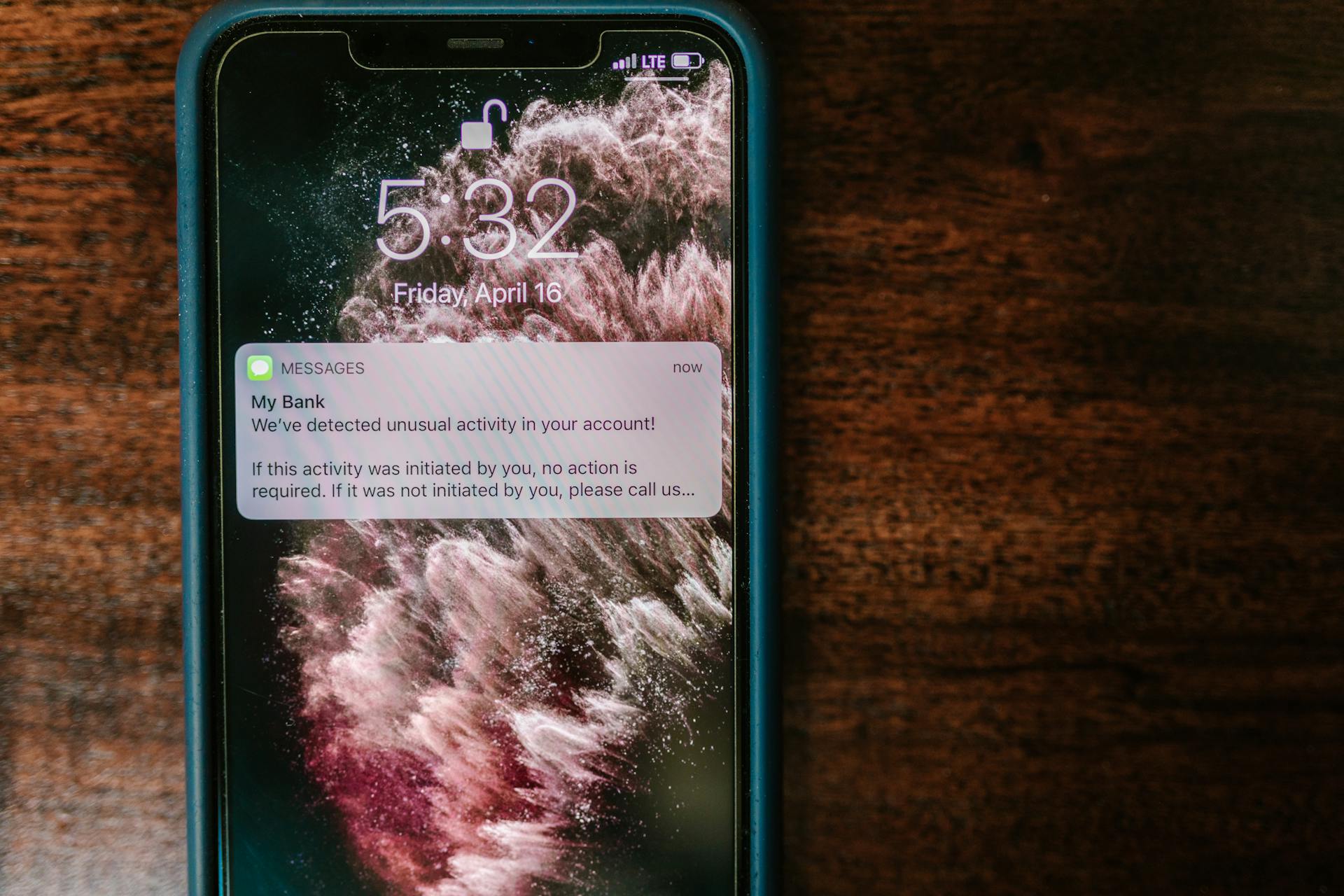
Be highly suspicious of unsolicited messages, even if they seem to be from well-known companies. This is because cybercriminals can easily craft messages that look and sound legitimate.
Always review emails and messages carefully before opening attachments or clicking links, especially if they are unexpected, unrelated, or sent from unknown addresses. This is a crucial step in avoiding malware installation.
Exercise caution when clicking on links, as they can lead to malicious websites. Use Trend Micro ScamCheck to detect scams with ease – for FREE!
Verify the sender by checking if the company is one you trust, and if you're expecting the communication. This can help you avoid falling victim to phishing scams.
If you have already opened malicious attachments, running a scan with Combo Cleaner Antivirus for Windows can automatically eliminate infiltrated malware.
Be cautious when interacting with pop-ups, ads, or suspicious buttons on dubious websites. Never allow these sites to send notifications to your device.

Here's a quick checklist to help you stay safe online:
- Review emails and messages carefully before opening attachments or clicking links.
- Exercise caution when clicking on links.
- Verify the sender before interacting with messages.
- Avoid pirated software or activation cracks, as they often contain hidden malware.
- Keep your operating system and software up to date to fix security flaws.
Remember, it's always better to err on the side of caution when it comes to online communications.
Manage Your Emotions
Emotions can cloud your judgment, making you more susceptible to scams. If an offer sounds too good to be true, it likely is.
Be cautious of messages that play on your fear or emotions, such as creating a sense of urgency or loss if you don't act now. This is a red flag.
If you're feeling anxious or stressed, take a step back and reassess the situation before making any decisions.
Types of Malicious Emails
Phishing emails are a common way for cybercriminals to trick people into giving away their sensitive information. They usually create a sense of urgency by claiming there's an issue with a popular service like Microsoft, DHL, or Amazon.
Cybercriminals often use fake links in these emails that redirect victims to a fake website that looks like the real one. This is an attempt to get victims to enter their password, credit card details, or other sensitive information.
Intriguing read: Fake Payday Loan Collection Emails
Malicious attachments are another popular attack vector. These emails usually claim to have a recently received invoice, fax, or voice message attached, which is actually a trojan designed to steal sensitive information.
Sextortion emails are a type of phishing email where cybercriminals claim to have a video recording of the victim's private activity. They demand a ransom in exchange for deleting the video, but all claims are false.
Phishing emails can be disguised as legitimate notifications from companies like Fidelity Investments, tricking victims into visiting a fake website and entering their personal information.
Take a look at this: Scam Insurance Phone Calls and Emails to Work Emails
What to Do After Falling for an Email Scam
If you've fallen for an email scam, it's essential to act quickly to minimize the damage. Change your password as soon as possible if you clicked on a link and entered your password.
Contact your bank immediately if you entered your credit card information, and be prepared to cancel your compromised credit card and get a new one. This is crucial to prevent further unauthorized transactions.
Worth a look: Does Acorns Work with Credit Cards
If you see signs of identity theft, contact the Federal Trade Commission right away. They'll help you create a personal recovery plan.
If your computer is infected after opening a malicious attachment, scan it with a reputable antivirus application like Combo Cleaner Antivirus for Windows.
Don't forget to help other Internet users by reporting phishing emails to the Anti-Phishing Working Group, FBI's Internet Crime Complaint Center, National Fraud Information Center, and U.S. Department of Justice.
Here's a summary of the steps to take after falling for an email scam:
- Change your password
- Contact your bank to cancel a compromised credit card
- Report identity theft to the Federal Trade Commission
- Scan your computer with antivirus software
- Report phishing emails to relevant organizations
How Spam Campaigns Work
Spam campaigns are a clever way for cybercriminals to infect computers. They often use email to deliver malware by attaching seemingly harmless files like MS Office documents, PDFs, or compressed files.
These attachments may look legitimate, but opening them can trigger malware execution. In some cases, the email may contain a link that directs users to a malicious website.
Cybercriminals use various tactics to trick users into downloading harmful software or starting the download automatically. They may use links that appear to be from a legitimate source.
See what others are reading: Can I Use Heloc for down Payment on Investment Property
To avoid falling victim to these scams, it's essential to be cautious when opening email attachments. Always think twice before enabling features like macros after opening a document.
Here are some common types of malicious emails:
- Phishing emails that try to steal sensitive information
- Malware-laden emails that contain malicious attachments or links
- Spam emails that clog your inbox with unwanted messages
If you've fallen for an email scam, it's crucial to act quickly to minimize damage.
Featured Images: pexels.com