As an online seller, getting started on Amazon Marketplace can be overwhelming, but don't worry, I've got you covered.
To be successful on Amazon, it's essential to have a solid understanding of the basics. Amazon charges a selling fee of 8-15% of the sale price, depending on the category of the product.
Amazon has over 300 million active customers worldwide, making it an attractive platform for online sellers. With such a vast customer base, it's crucial to optimize your product listings to stand out from the competition.
To increase your chances of success, focus on creating high-quality product listings that include detailed descriptions, accurate keywords, and high-quality images.
Getting Started
Getting started with Amazon Marketplace is easier than you think. First, you need to choose between an Individual or Professional account, which determines the monthly fee and per-item fee for selling on the platform.
To get started, visit the Amazon Services or Amazon Seller Central website and click on the 'Start Selling' button or 'Register now' link. You can then decide on the type of account you want, sign in with an existing Amazon account or create a new one, and provide your business name and address.
To set up your Amazon seller account, you'll need to provide your tax information, including your Social Security Number or company's Federal Tax Identification Number, and enter the details of a bank account where Amazon can send your sales proceeds. You'll also need to provide a valid phone number where you can receive a confirmation call or SMS, and have your passport or national ID card handy for identity verification if required.
Here are the basic steps to create an Amazon seller account:
- Choose Your Seller Account Type: Decide between an Individual or Professional account.
- Create Your Amazon Seller Account: Sign in with an existing Amazon account or create a new one, and provide your business name and address.
- Fill in Your Tax Information: Complete the Amazon Tax Information Interview and provide your Social Security Number or company's Federal Tax Identification Number.
- Enter Bank Account and Credit Card Information: Enter the details of a bank account where Amazon can send your sales proceeds, and a credit card that can be charged for fees if your balance doesn't cover them.
- Create Your Amazon Storefront: Add your logo, business description, and a return and refund policy, and start listing products with clear images and detailed descriptions.
Set Up Seller Account
To set up your seller account on Amazon, you'll need to choose between an Individual or Professional account. Individual accounts don't have a monthly fee, but you pay $0.99 per item sold, while Professional accounts have a monthly fee, but no per-item fee.
The first step is to visit the Amazon Services or Amazon Seller Central website and click on the 'Start Selling' button or 'Register now' link. You'll then need to sign in with an existing Amazon account or create a new one.
To create your seller account, you'll need to provide your business name and address, as well as your contact information for Amazon and customers to use. You'll also need to select a unique display name that will serve as your business identity on Amazon.
You'll need to fill in your tax information, including your Social Security Number or company's Federal Tax Identification Number, as appropriate. You'll also need to enter the details of a bank account where Amazon can send your sales proceeds.
Here are the steps to create your seller account:
1. Visit the Amazon Services or Amazon Seller Central website.
2. Click on the 'Start Selling' button or 'Register now' link.
3. Choose the type of account (Individual or Professional) you want.
4. Sign in with an existing Amazon account or create a new one.
5. Provide your business name and address.
6. Include your contact information for Amazon and customers to use.
7. Select a unique display name that will serve as your business identity on Amazon.
8. Fill in your tax information.
9. Enter the details of a bank account where Amazon can send your sales proceeds.
Once you've completed these steps, you'll be able to create your Amazon storefront and start listing products. Don't forget to review Amazon's seller policies and guidelines to ensure you comply with all requirements.
Consider reading: How to Use Klarna on Amazon?
What Is?

Amazon Marketplace is a third-party retailer market integrated into the Amazon.com platform, offering customers a wider product choice from thousands of external sellers.
It's like a big online bazaar where you can find new and used items from various sellers, all in one place. Amazon Marketplace is so well integrated into Amazon.com that many customers don't even realize they're purchasing from third-party sellers.
Only certain countries are allowed to participate in Amazon Marketplace, and sellers must have financial accounts registered to those jurisdictions. This ensures that Amazon can manage and regulate the platform effectively.
Amazon Marketplace allows sellers to resell used and new items, with a cut of the sales going to Amazon. This means that Amazon earns a percentage of the profits from each sale made through the platform.
As a customer, you can shop from Amazon Marketplace with confidence, knowing that you're getting access to a vast range of products from various sellers.
Selling on Amazon
Selling on Amazon presents a multitude of advantages for retailers, whether they're just starting out or are established entities looking to expand their reach.
Amazon has a vast global customer base, which affords sellers instant access to millions of potential customers. This exposure is invaluable for new and growing businesses that might otherwise spend significant resources on marketing to attract attention.
To start selling on Amazon, you'll need to set up an Amazon seller account, which can be done in a few steps. You'll need to choose between an Individual or Professional account, and provide your business name and address, as well as your contact information for Amazon and customers to use.
Here are the basic business models/strategies to choose from when selling on Amazon:
- Wholesaling: A seller purchases large quantities of a certain product from a retailer and then sells them on the Amazon Marketplace.
- Private label/selling: A private label seller on the Amazon Marketplace sells products with their own branding and/or label, often manufactured by a third party.
- Online/Retail arbitrage: A seller purchases products (that are on sale or at a reduced price) either online or in brick-and-mortar stores and attempts to sell them on the Amazon Marketplace for profit.
Each of these strategies has its own set of pros and cons, but ultimately the decision for a model is dependent on a business’s goal, competition, and target audience.
Selling Benefits for All Businesses
Selling on Amazon offers a multitude of advantages for retailers of all sizes. With a vast global customer base, you can instantly access millions of potential customers, which is invaluable for new and growing businesses.
Amazon is a trusted name in e-commerce, and customers are often more willing to purchase from a new seller on Amazon than from an unknown website due to Amazon's customer service policies and guarantee of purchase protection.
Fulfillment Services like FBA can significantly ease the logistical burden on sellers, providing customers with the benefit of Amazon Prime's fast shipping.
Amazon's sophisticated backend support includes seller tools and analytics that help businesses track sales, manage inventory, and gain insights into customer behavior.
The platform handles many complexities associated with international transactions, including currency conversion and customer support in the local language.
Here are some key benefits of selling on Amazon:
- Massive Customer Base
- Trust Factor
- Fulfillment Services
- International Reach
- Sophisticated Backend Support
- Advertising and Promotion
- Scalability
- Customer Feedback Loop
- Subscription Model
- Brand Building
Main Selling Strategies
Selling on Amazon offers several strategies for businesses to succeed. There are three basic business models to choose from: wholesaling, private label/selling, and online/retail arbitrage.
Wholesaling involves purchasing large quantities of a certain product from a retailer and selling them on Amazon. This strategy can be beneficial for businesses looking to offer a wide range of products.
Private label/selling is another popular strategy, where businesses sell products with their own branding and/or label, often manufactured by a third party. This approach can help businesses differentiate their products and build a strong brand.
Online/retail arbitrage is a strategy where businesses purchase products at a discounted price and resell them on Amazon for a profit. This approach requires research and planning to find profitable products.
Businesses can choose one or a combination of these strategies to suit their goals and target audience. With the right approach, businesses can succeed on Amazon and reach a vast customer base.
Here are the three main strategies to sell on Amazon Marketplace:
Ultimately, the decision of which strategy to use depends on a business's goal, competition, and target audience.
Product Management
Product Management is crucial for success on Amazon Marketplace. To manage products effectively, businesses need to ensure accurate product data, which can be achieved through feed management and product syndication strategies.
Amazon allows sellers to upload product feeds onto the platform, but this can be a complex task, especially for businesses with a large number of products. Productsup's platform can help simplify this process by ensuring that product feeds are uploaded with all the necessary information matching Amazon's data requirements.
Businesses can also use Amazon's analytics tools to track sales, manage inventory, and gain insights into customer behavior. This can be particularly beneficial for small businesses that might not have the resources to develop such sophisticated systems independently.
How to Manage Products?
Managing products on Amazon can be a daunting task, especially for businesses with a large number of products. To integrate product data onto the Amazon Marketplace channel, you need a smart solution that ensures product feeds are uploaded with all the necessary information.
Productsup's platform is a great option, as it ensures that product feeds are uploaded onto the Amazon Marketplace channel with all the product information matching Amazon's data requirements. This way, products are displayed in the search results pages and on their individual product detail pages exactly as they are supposed to.
Accurate product data is crucial, as incorrect data can lead to revenue losses through brand damage. In the worst case, consumers cannot find a certain product because of incorrect data misleading Amazon's search algorithm. To avoid this, businesses should adopt feed management and product syndication strategies for marketplaces.
To manage products effectively, you need to understand Amazon's policies and procedures. Amazon Seller Central is the gateway to creating product listings, managing inventory, and choosing how to ship orders. Sellers can either handle fulfillment themselves (Fulfilled by Merchant - FBM) or outsource it to Amazon under Fulfilled by Amazon (FBA).
Here are some key benefits of using Amazon FBA:
- Amazon takes care of storing, handling orders, and delivering products in Prime-branded boxes.
- Customer service and returns are covered by Amazon.
- FBA products get the coveted Prime badge, which often means higher visibility in search results and a better shot at the "Buy Box".
- Fees include storage, packing, and shipping costs, which can eat into margins.
To optimize your product listings, it's essential to:
- Use high-quality images from various angles.
- Craft detailed and accurate product descriptions that highlight key features and benefits.
- Incorporate relevant keywords in your title, description, and backend search terms.
- Monitor product performance through Amazon's analytics tools and adjust listings based on trends.
By following these strategies, you can maximize visibility and sales on Amazon and stay competitive in the marketplace.
FBM vs FBA Products
Amazon FBM products are classified as "fulfilled by the merchant", meaning the seller has to manage storage and shipping, and provide customer service.
Amazon charges higher fees for FBA products, so businesses need to gauge which option makes the most sense to them.
Fulfillment by Amazon (FBA) is a hands-off approach where Amazon handles storage, shipping, and customer service, but involves additional fees for storage and fulfillment.
Fulfillment by Merchant (FBM) means the seller takes full responsibility for storing, packing, and shipping products, offering more control over the entire process.
Choosing between FBA and FBM involves considering factors like product size, turnover rates, cost implications, and operational resources.
Sellers opting for FBM need to ensure they can meet Amazon's delivery and customer service standards, which requires robust internal processes.
Amazon's FBA option includes faster shipping for customers through Amazon Prime, potentially increasing sales, but can impact profit margins, especially for larger or slower-moving items.
FBM can be more cost-effective, especially for larger items or those with lower turnover rates, but sellers need to weigh the benefits against the potential drawbacks.
Expand your knowledge: Amazon Fulfillment Pay Rate
Fulfillment Options
Amazon offers two primary fulfillment options for sellers: Fulfilled by Amazon (FBA) and Fulfilled by Merchant (FBM). FBA is a hands-off approach where Amazon handles storage, shipping, and customer service, while FBM means the seller takes full responsibility for storing, packing, and shipping products.
FBA is a comprehensive solution that includes faster shipping for customers through Amazon Prime, potentially increasing sales. However, it involves additional fees for storage and fulfillment, which can impact profit margins, particularly for larger or slower-moving items.
FBA products get the coveted Prime badge, which often means higher visibility in search results and a better shot at the “Buy Box.” The tradeoff? Fees. Storage, packing, and shipping costs can eat into margins—sometimes heavily.
FBM, on the other hand, gives sellers more control over the entire process and can be more cost-effective, especially for larger items or those with lower turnover rates.
Some sellers opt to use both methods, selecting FBA for items that benefit from Prime eligibility and FBM for products where they prefer direct control or have cost advantages.
Here's a comparison of the two options:
New sellers are recommended to start with FBM, allowing them to learn the business without committing to FBA storage fees and giving them more control over costs and customer service.
Fees and Pricing
Amazon's fee structure can be complex, but understanding it is crucial for pricing your products competitively. Referral fees, for example, range from 6% to 45% of each sale, varying by category.
To give you a better idea, here's a breakdown of the different fees you might incur as an Amazon seller:
- Referral Fees: A commission on each sale, varying by category (6% to 45%).
- Subscription Fees: Individual plan (no monthly fee, $0.99 per item) or Professional plan (monthly fee, no per-item charge).
- Fulfillment Fees (FBA): Charges for picking, packing, shipping, customer service, and returns, based on product size and weight.
- Storage Fees (FBA): Monthly fees for warehouse storage, based on inventory volume.
- Closing Fees: Fixed fees for selling media items like books and DVDs.
- High-Volume Listing Fees: For numerous inactive listings.
- Additional Fees: For optional services, refunds, or inventory disposal.
The Individual seller plan has a $0.99 fee for each item sold, while the Professional plan has a monthly subscription fee of $39.99 and referral fees on each item sold (ranging from 6% to 25%, averaging 13%).
Referral fees are subtracted from the overall sale of your product as part of Amazon's cost-per-acquisition (CPA) model. These include variable closing fees that vary by category.
Amazon earns revenue through referral fees on every sale, FBA storage and fulfillment fees, and even advertising fees sellers pay to stand out in search results.
Marketing and Promotion
To amplify your product visibility and drive sales on Amazon, it’s essential to tap into the marketplace’s robust suite of advertising and promotional tools. Sponsored Products can help you gain visibility by placing your products in search results or on product detail pages, and you pay per click.
Sponsored Products is a cost-effective way to gain visibility because you only pay for the clicks your ads receive. Sponsored Brands can help create more impactful advertisements by featuring your brand logo, a custom headline, and a selection of your products.
Sponsored Display ads can extend your reach beyond Amazon’s website, targeting customers based on their shopping activities and interests. Participating in Amazon’s time-limited deals like “Deal of the Day” or “Lightning Deals” can prompt quick purchases and increase the likelihood of your products being noticed by a larger audience.
Setting up promotions such as discounts or “Buy One Get One” offers can be an excellent way to move inventory quickly, increase cart sizes, and reward loyal customers. Most successful sellers spend 10-30% of their revenue on advertising.
Intriguing read: Facebook Marketplace Ads
Storefront
Amazon Storefront is a great way for small businesses to showcase their products in a customizable and immersive shopping experience. This separate section of Amazon was launched in 2018 and is Amazon's way of supporting and highlighting small-to-medium U.S. businesses.
There are currently around 20,000 small businesses featured on Amazon Storefront. Any small business owner can request information and have their store reviewed based on category. If you're considered a good fit, you'll be able to create a design for your storefront that can be easily formatted to both desktop and mobile screens.
Amazon Storefronts are promoted in three ways: Storefront of the Week, Curated Collections, and Meet the Business Owner. These initiatives highlight specific merchants and help tell their brand story.
Here are the benefits of selling on Amazon Storefront:
- Massive Customer Base: Amazon has a vast global customer base, which affords sellers instant access to millions of potential customers.
- Trust Factor: Amazon is a trusted name in e-commerce, making it easier for customers to purchase from new sellers.
- Fulfillment Services: Amazon's Fulfillment by Amazon (FBA) service handles packing, shipping, customer service, and returns for orders.
- International Reach: Amazon operates websites in many countries, making international sales easier for retailers and brands.
To set up an Amazon Storefront, you'll need to create an Amazon seller account and provide your business information, including your name, address, and contact information. You'll also need to select a unique display name that will serve as your business identity on Amazon.
For more insights, see: Amazon Business Insurance
Here's a step-by-step guide to setting up an Amazon Storefront:
1. Choose your seller account type: Individual or Professional.
2. Create your Amazon seller account.
3. Provide your business information, including your name, address, and contact information.
4. Select a unique display name that will serve as your business identity on Amazon.
5. Fill in your tax information and provide a valid phone number for verification.
6. Set up your Amazon Storefront by adding your logo, business description, and return and refund policy.
7. Start listing products with clear images and detailed descriptions.
8. Ensure your listings are optimized with relevant keywords for better search visibility.
Note that there are two types of seller plans: Individual and Professional. The Individual plan charges $0.99 for every item sold, while the Professional plan costs $39.99 per month, regardless of the number of units sold.
Competitiveness and Growth
Amazon's marketplace is constantly evolving, and staying ahead requires an understanding of emerging trends. Amazon is focusing on unique customer experiences, making shopping seamless and enjoyable.
To stay competitive, sellers should prioritize a media strategy that enhances user experience and targets customer needs. This includes seasonal and micro-seasonal trends, such as Pet Day or Star Wars Day, which create new opportunities for targeted marketing.
Amazon is also diversifying its sales events beyond major holidays, making it essential for sellers to ensure their products and store are fully optimized for the marketplace. This means having accurate listings, sufficient inventory, and a strategy for peak sales events.
The key to success on Amazon lies in finding the right product-market fit, optimizing listings for Amazon's search algorithm, and providing excellent customer service. Focus on less saturated product categories, long-tail keywords, and building genuine customer relationships.
Amazon actively promotes small businesses through initiatives like Amazon Storefront, giving them additional visibility. This is a great opportunity for small businesses to reach a wider audience and increase their sales.
Here are some key metrics to track to measure success on Amazon:
- Conversion rate (aim for 15%+)
- Click-through rate on product images
- Organic search ranking for target keywords
- Buy Box percentage (aim for 90%+)
- Customer review rating (maintain 4+ stars)
- Return rate
- Overall profit margin after all fees
- For Storefronts, track unique visitors, page views, and store conversion rate
By tracking these metrics and using Amazon's analytics tools, sellers can gain deeper insights into their performance and competitor analysis.
Decision Making
Choosing the right fulfillment method for your Amazon business depends on your product and goals.
If you're selling small, fast-moving items like phone chargers, FBA might make sense due to the speed and Prime visibility it offers.
Convenience is a key factor to consider, as FBA can save you time and effort.
However, if you're selling a 50-pound set of dumbbells, FBM might be a better option to save your margins.
Some sellers mix approaches, using FBA for certain products while running FBM for others, to find the balance between convenience, cost, and control.
Related Terms
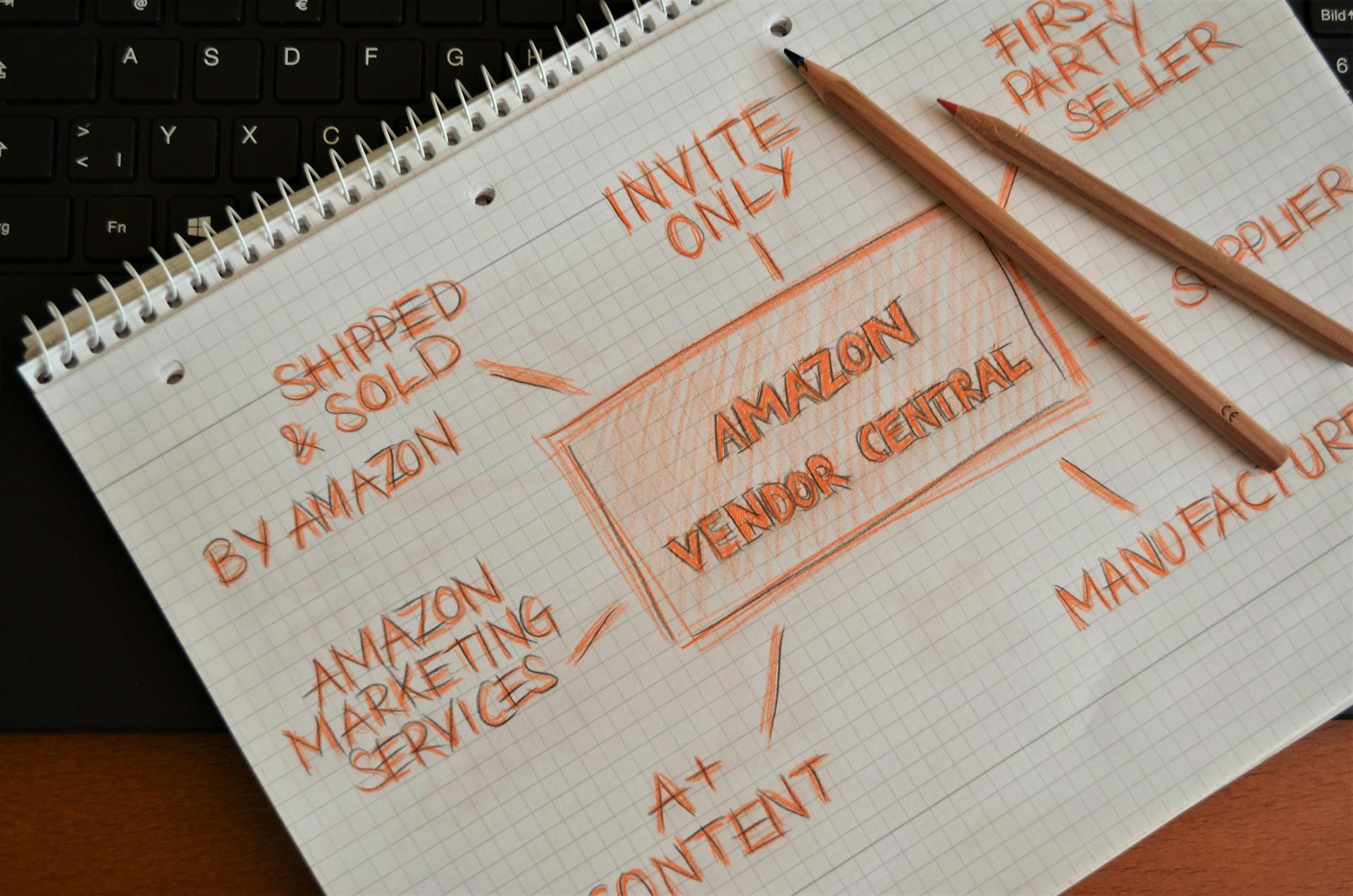
Amazon Marketplace is a vast and complex platform, and understanding the various related terms can be overwhelming. Amazon Vendor Central Account is a separate platform for approved vendors to manage their business with Amazon.
Amazon Seller Central is the primary platform for third-party sellers, offering tools and services to manage their online store. Amazon 1P marketplace refers to the platform where Amazon itself sells products, often in direct competition with third-party sellers.
Fulfillment By Amazon (FBA) is a service that allows sellers to store their products in Amazon's warehouses, and Amazon handles the shipping and customer service. On the other hand, Amazon FBM (Fulfilled by Merchant) requires sellers to handle storage, packaging, and shipping themselves.
Amazon A+ Content is a feature that allows sellers to create enhanced product pages with additional content, images, and videos. This can help increase sales and customer engagement.
Here is a list of related terms:
- Amazon Vendor Central Account: for approved vendors to manage their business with Amazon
- Amazon Seller Central: the primary platform for third-party sellers
- Amazon 1P marketplace: where Amazon itself sells products
- Amazon FBA (Fulfillment By Amazon): a service that handles storage, shipping, and customer service
- Amazon FBM (Fulfilled by Merchant): requires sellers to handle storage, packaging, and shipping themselves
- Amazon A+ Content: a feature for creating enhanced product pages
- Amazon Seller Fulfilled Prime (SFP): a program that allows sellers to fulfill Prime orders themselves
Featured Images: pexels.com